Service Overview
Block Storage is a high-performance storage that stores data in block units arranged by a fixed size and layout.
Suitable for large-scale, high-performance requirements such as databases and mail servers, and users can directly allocate volumes to the server.
Features
- Large volume provision: You can create volumes up to 16TB in size.
- Full SSD-based high performance: Provides high durability and availability based on redundant Controllers and Disk Array RAID. * Full SSD disks are provided by default, making them suitable for high-speed data processing tasks such as database workloads.
- Snapshot Backup: Image snapshot functionality enables recovery of changed and deleted data. * The user selects the snapshot created at the desired recovery point from the list and performs the recovery.
- Replication: creates an identical replica volume at another location, and the user can set the data replication schedule. * If the original volume cannot be used due to failures or disasters, service can be provided through a replica volume.
Configuration diagram
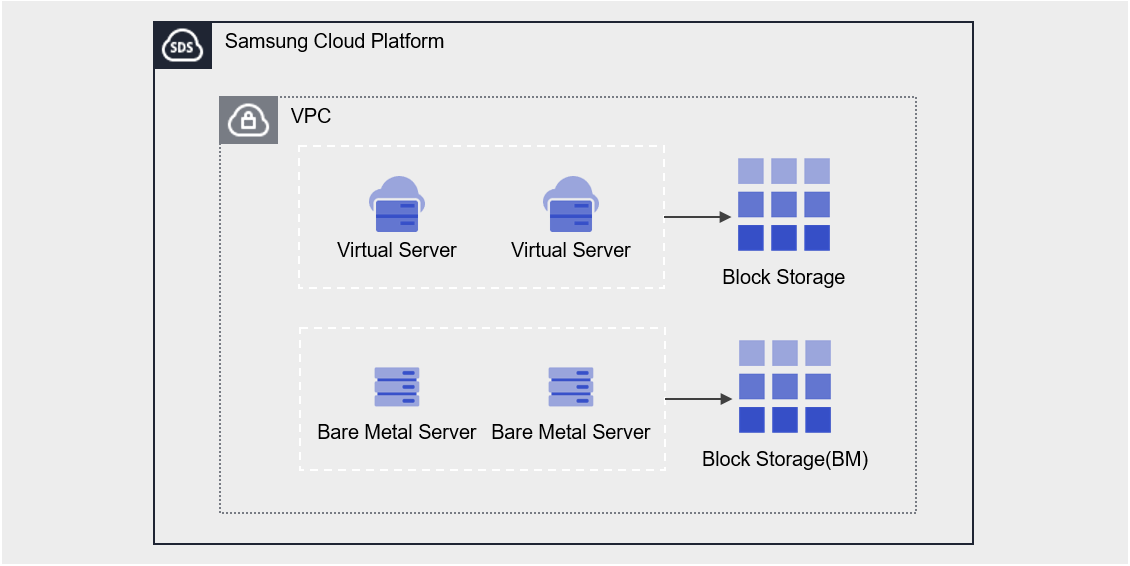
Provided features
Block Storage provides the following features.
- Volume Name: Users can set or edit the name for each volume.
- Capacity: You can create a volume with a capacity ranging from a minimum of 1 GB up to a maximum of 16 TB.
- Connection Server : You can select Bare Metal Server or Multi Node GPU Cluster to connect or disconnect.
- Multi-Server Connection (Multi Attach): Up to 5 servers can be connected, and there is no limit on the number of volumes that can be attached to a Bare Metal Server.
- Encryption: All volumes are encrypted with the AES-256 algorithm by default, regardless of disk type.
- Snapshot: Use the image snapshot feature to create a snapshot at a specific point in time or generate snapshots at regular intervals.
- Capacity: the capacity of the snapshot storage space
- Schedule: Snapshot auto-creation interval
- Recovery: Recover the original volume to the latest snapshot, or select a snapshot at a specific point in time to create a recovery volume
- Recovery copy a separate volume created with the same capacity as the original (additional cost incurred)
- Replication: It replicates the volume to another location, and the user can set the replication schedule.
- A replicated volume can also serve as the original via the snapshot feature in the event of a disaster.
- Volume Group: Configure up to 16 Block Storage volumes as a Group. * Snapshots and replication can be configured at the group level.
- Monitoring: You can view monitoring information such as IOPS, Latency, and Throughput through the ServiceWatch service.
Component
You can create a volume by entering the capacity and selecting the disk type according to the user’s service scale and performance requirements.
When using the snapshot feature, you can restore data to the desired point in time.
Volume
A volume (Volume) is the basic creation unit of the Block Storage service and is used as data storage space. The user sets the name, size, disk type, snapshots, etc., creates a volume, and then attaches it to a Bare Metal Server for use.
The volume name creation rules are as follows.
- Must start with a letter and can be set to 3~28 characters using letters, numbers, and special characters (
-).
snapshot
A snapshot (Snapshot) is an image backup of a volume at a specific point in time. The user can view the snapshot name and creation time in the snapshot list, select the snapshot to restore, and recover data that was modified or deleted using that snapshot.
The following are considerations when using snapshots.
- The snapshot creation time is based on Asia/Seoul (GMT +09:00).
- Up to 1,023 snapshots can be created. * (Automatic generation via schedule is limited to a maximum of 128.)
- Automatic creation is possible through snapshot schedule settings.
- Because snapshot capacity is added to Block Storage (BM) fees, adjust the size of your snapshot storage.
Volume Group
Volume Group is a group-level management feature that provides users who configure databases and applications across two or more volumes the ability to create snapshots and replications at a consistent point in time. The user can create a Volume Group by selecting a name and the target Block Storage.
Preceding Service
This is a list of services that must be pre-configured before creating the service. Please refer to the guide provided for each service and prepare in advance.
| Service Category | service | Detailed description |
|---|---|---|
| Compute | Bare Metal Server | High-performance physical server used without virtualization |