Overview
Service Overview
Block Storage is a high-performance storage that stores data in block units with a certain size and arrangement.
It is suitable for large-capacity, high-performance requirements such as databases, mail servers, etc. and users can directly assign volumes to the server for use.
Key Features
- High-capacity volume provision: you can create volumes of up to 16TB in size.
- Full SSD-based high-performance delivery: Dualized Controller and Disk Array Raid-based, providing high durability and availability. Since the full SSD disk is provided by default, it is suitable for high-speed data processing tasks such as database workloads.
- Snapshot Backup: Through the image snapshot function, it is possible to recover data that has been changed or deleted. The user selects a snapshot created at the desired recovery point from the list and performs the recovery.
- Replication: creates identical replica volumes in different locations, and users can set the data replication cycle, in case the original volume is unavailable due to a disaster or failure, services can be provided through the replica volume.
Composition Diagram
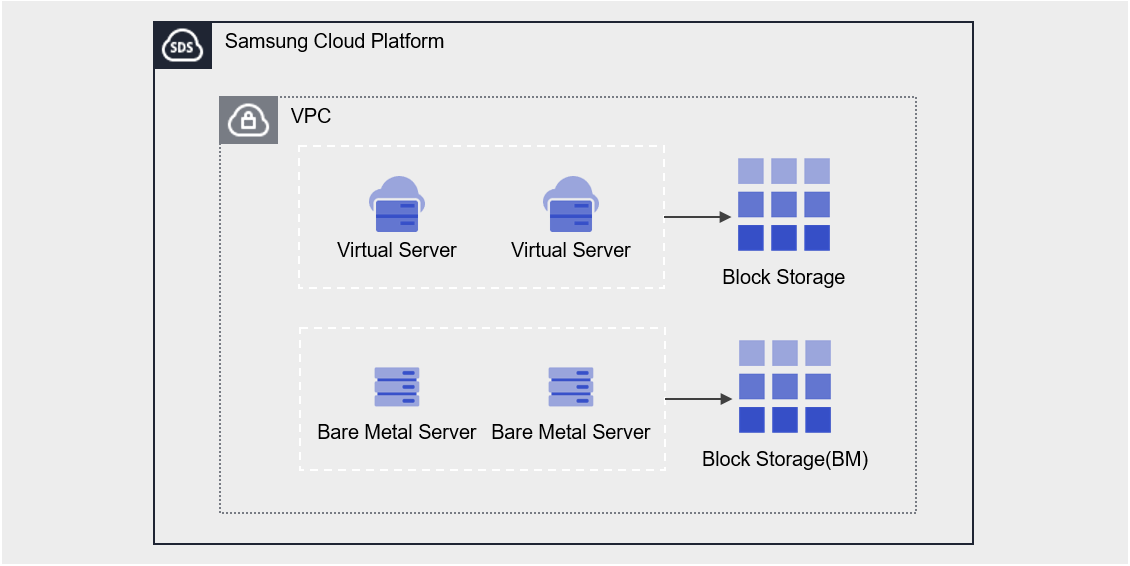
Provided Function
Block Storage provides the following functions.
- Volume Name: The user can set or modify the name by volume.
- Capacity: Volume creation is possible with a capacity of at least 1GB and up to 16TB.
- Connection Server : Bare Metal Server, Multi Node GPU Cluster can be selected to connect or disconnect.
- Multi Attach: connect up to 5 servers, no limit on the number of volumes that can be attached to a Bare Metal Server
- Encryption: Regardless of the disk type, all volumes have AES-256 algorithm encryption enabled by default.
- Snapshot: You can create a snapshot at a specific point in time using the image snapshot feature or generate snapshots at regular intervals.
- Capacity: The capacity of snapshot storage space
- Schedule: snapshot automatic creation cycle
- Recovery: Restore the original volume to the latest snapshot, select a snapshot at a specific point in time to create a recovery volume
- Recovery volume a separate volume created with the same capacity as the original (incurring additional costs)
- Replication: replicates the volume to a different location, and users can set the replication cycle.
- The replica volume can also serve as the original role in the event of a disaster through the snapshot function
- Volume Group: Sets a group of up to 16 Block Storage volumes, allowing for snapshot and replication settings at the group level.
- Monitoring: You can check performance information such as IOPS, Latency, Throughput through the Cloud Monitoring service.
Components
You can create a volume by entering the capacity based on the user’s service size and performance requirements and selecting the disk type.
When using the snapshot function, you can restore the data to the point you want to restore.
Volume
Volume is the basic creation unit of the Block Storage service and is used as a data storage space. The user creates a volume by setting the name, capacity, disk type, snapshot, etc., and then connects and uses it to the Bare Metal Server.
The volume name creation rule is as follows.
- It starts with English and can be set within 3-28 characters using English, numbers, and special characters (
-).
Snapshot
Snapshot is an image backup of a volume at a specific point in time. The user can select the snapshot to be recovered by checking the snapshot name and creation time in the snapshot list, and can recover the data changed or deleted through the snapshot.
The notes to refer to when using snapshots are as follows.
- The snapshot creation time is based on Asia/Seoul (GMT +09:00) standard.
- Snapshots can be created up to 1,023. (Automatic creation through scheduling is up to 128.)
- Automatic generation through snapshot schedule setting is possible.
- The snapshot capacity is added to the Block Storage(BM) fee, so adjust the capacity of the snapshot storage space.
Volume Group
Volume Group is a group unit management function that allows users who have configured databases and applications with two or more volumes to create snapshots and replicas at a consistent point in time, users can create a Volume Group by selecting a name and target Block Storage.
Preceding Service
This is a list of services that must be pre-configured before creating the service. Please refer to the guide provided for each service and prepare in advance.
| Service Category | Service | Detailed Description |
|---|---|---|
| Compute | Bare Metal Server | High-performance physical server used without virtualization |