Overview
Service Overview
Backup is a service that safely backs up and recovers in case of an emergency the user’s data.
Since a backup policy includes backup targets, frequency, retention period, and other elements, users set a backup plan according to their business environment and requirements.
Features
- Backup Scope: Providing optimal backup and recovery services tailored to various business needs, ensuring customers’ critical data is safely preserved.
- Flexible policy configuration: You can set backup policies according to the usage environment and data importance. * The user selects the backup target and type, and specifies the retention period and schedule.
- Backup Network: We minimized the service impact that could occur during backup by using a backup network connection. * The backup system and network block unauthorized access through permission management.
- Replication: Agent backup can replicate the same backup to another location for storage. * The schedule and retention period are set the same as the original, and in the event of a failure or disaster at the backup location, recovery can be performed using the backup copy stored at another location.
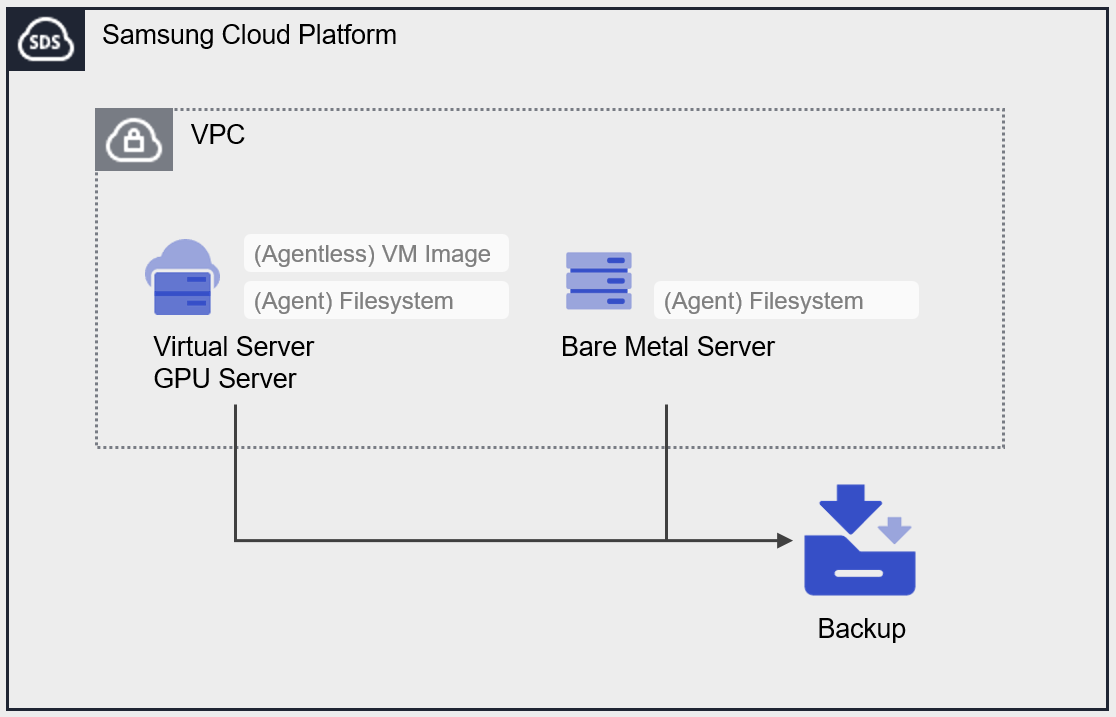
Configuration diagram
Provided features
Backup provides the following features.
- Backup target: The user can select the target server for which they want to obtain a backup.
- Backup storage: You can select the storage location of the backup.
- Encryption: AES-256 algorithm encryption is applied.
- Retention Period: You can set the retention period for backup copies. * Backup copies that have exceeded the retention period are automatically deleted.
- Schedule: Automatic backup creation interval.
- Recovery: You can select a backup created at the desired point in time to restore resources.
Component
Backup provides a scheduling feature that automatically creates backup copies at predefined intervals and times. Users set retention periods and other parameters to ensure they can obtain backups from the desired point in time, and depending on the backup target and type, agent configuration may be required.
Backup type
Provides Agent Backup, which can be selected based on the backup target.
- Agent Backup: Before creating the Backup service, you need to create a Backup Agent for the server you intend to back up and configure the Agent. * Filesystem backup is applicable.
Backup Category
- Full Backup: Backs up all data.
- Incremental Backup: Backs up data that changed since the previous backup.
Schedule
Automatically creates backup copies based on the generation interval set by the user. You can configure a schedule with up to 1 Full Backup and up to 6 Incremental Backups.
When using the Immediate Backup feature, you can generate a backup at a specific point in time desired by the user, outside of the schedule.
The backup frequencies that can be scheduled are as follows.
Daily: Start Time Select
Weekly: Day, Start Time selection
Monthly: Week, Day, Start time selection
- Start Time: select hour (1~23), minute (00, 30)
- Day of Week: Select Monday, Tuesday, Wednesday, Thursday, Friday, Saturday, Sunday
- Week: 1, 2, 3, 4, select the last week
Retention period
You can set the retention period for backups created through the Backup service.
The retention period can be applied by selecting from 2 weeks (14 days), 1 month (31 days), 3 months (93 days), 6 months (186 days), or 1 year (365 days).
Preceding Service
This is a list of services that must be pre-configured before creating the service. Please refer to the guide provided for each service and prepare in advance.
| Service Category | service | Detailed description |
|---|---|---|
| Compute | Virtual Server | Virtual server optimized for cloud computing |
| Compute | Bare Metal Server | High-performance physical server used without virtualization |