Service Overview
A Security Group is a virtual logical firewall that controls inbound/outbound traffic generated on virtual servers in Samsung Cloud Platform. The resources that can have a Security Group applied include Virtual Server, Database, Kubernetes Engine, etc. Security Groups are applied to the ports of target resources, and multiple Security Groups can be applied depending on each resource’s characteristics.
When a Security Group is first created, it blocks all inbound and outbound traffic according to the default rule (Any/Deny).
Users can specify an IP address, port, and protocol to create inbound/outbound rules, and only traffic allowed by the created rules can access the target resources.
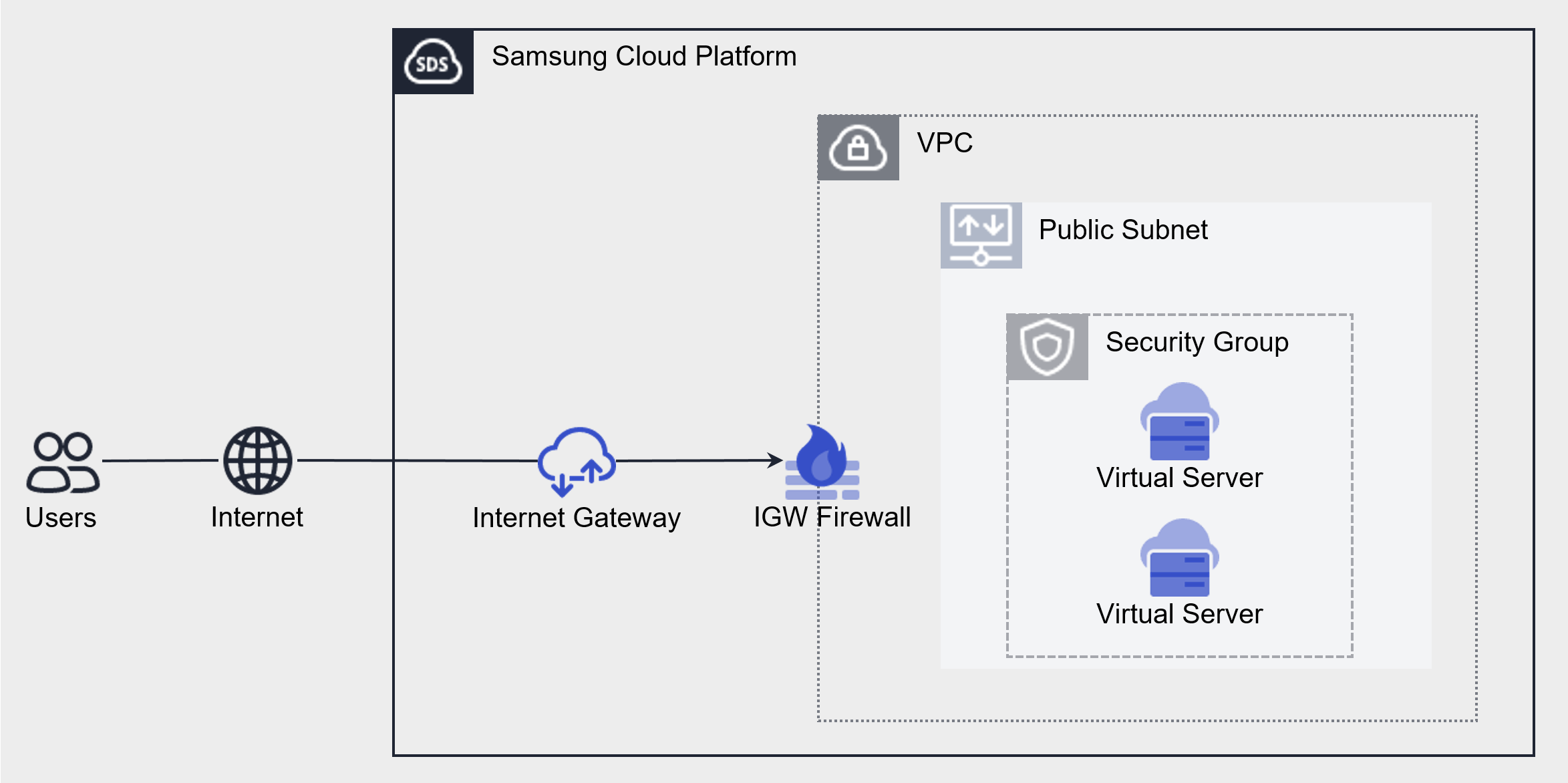
Components
The components that make up a Security Group are as follows.
| Component | Detailed description |
|---|---|
| Applicable target | Resources to which the Security Group will be applied
|
| Security Group Rules | When a Security Group is first created, it blocks all inbound and outbound traffic according to the default rule (Any/Deny)
|
Constraints
Samsung Cloud Platform’s Security Group has a default quota (limit) set. There is a maximum number of Security Groups and Security Group rules that can be created. The Samsung Cloud Platform Console is a space where you can view and manage quotas for the Samsung Cloud Platform service and request quota increases for many resources.
| Category | Default quota | Detailed description |
|---|---|---|
| Security Group | 200 items | Maximum number of default Security Groups that can be created per account |
| Security Group rule count | 100 items | Maximum number of default rules that can be created per Security Group |
| Security Group rule count > project | 1,000 items | Maximum number of default Security Group rules that can be created per account |
Preceding service
Security Group has no prerequisite service.