Overview
Service Overview
Security Group is a virtual logical firewall that controls Inbound/Outbound traffic occurring in the virtual server of Samsung Cloud Platform. The target resources that can apply Security Group are Virtual Server, Database, Kubernetes Engine, etc. Security Group is applied to the port of the target resource, and multiple Security Groups can be applied according to the characteristics of each resource.
When the Security Group is created for the first time, it blocks all Inbound/Outbound traffic according to the default rules (Any/Deny).
The user can create Inbound/Outbound rules by specifying the IP address, port, and protocol, and only allowed traffic to the target resource is possible according to the created rules.
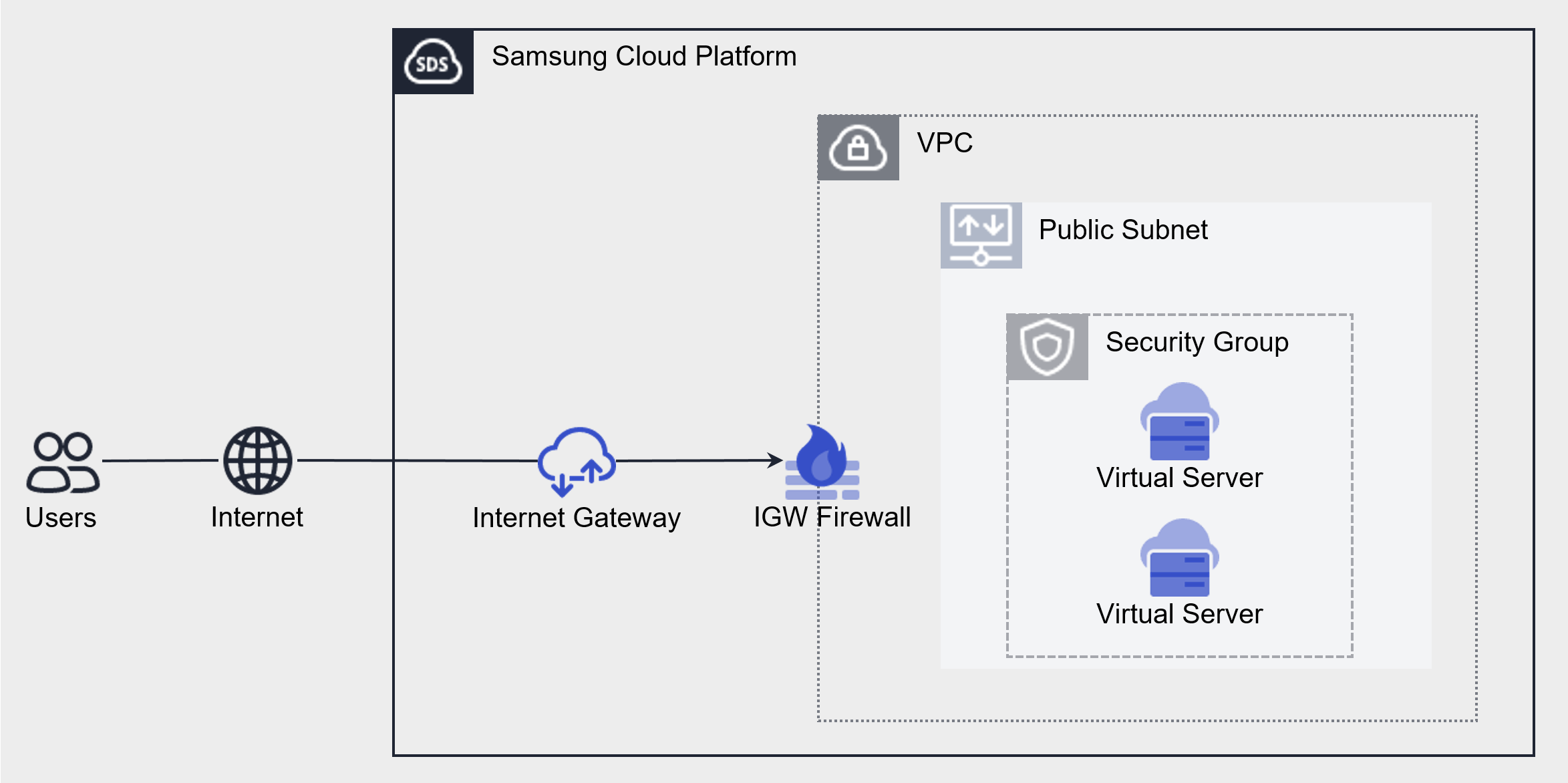
Component
The elements that make up the Security Group are as follows.
| Component | Detailed Description |
|---|---|
| Applicable Target | The target resource to which the Security Group is applied
|
| Security Group rules | When a Security Group is first created, it follows the default rules (Any/Deny) and blocks all Inbound/Outbound traffic
|
Constraints
The Security Group of Samsung Cloud Platform has a default quota (limit) set. There is a maximum number of Security Groups and Security Group rules that can be created. Samsung Cloud Platform Console is a space where you can check and manage quotas for many resources related to Samsung Cloud Platform services and request quota increases.
| Classification | Basic Quota | Detailed Description |
|---|---|---|
| Security Group | 100 | The default number of Security Groups created per Account |
| Number of Security Group rules | 100 | Default rule creation limit per Security Group |
| Number of Security Group rules > per project | 1,000 | Default number of Security Group rules that can be created per Account |
Preceding Service
Security Group has no preceding service.