This is the multi-page printable view of this section. Click here to print.
Developer Tools
- 1: MCP Server
- 1.1: Overview
- 1.2: How-to guides
- 1.2.1: Docs mcp server
- 1.3: Release Note
1 - MCP Server
1.1 - Overview
Service Overview
The MCP Server is an MCP (Model Context Protocol) server that provides services enabling SCP information and resource management through the AI Assistant Tool. You can access the various documents (User Guide, API/CLI Reference, Knowledge Center, etc.) provided by SCP in real time and immediately verify the relevant information. Additionally, we provide a service that enables you to check information for managing SCP resources and resolving issues via the AI Assistant through the MCP Server.
Provided Features
You can use the following features by utilizing the MCP Server.
- SCP Knowledge Acquisition: You can quickly and easily view information about various SCPs provided by SCP Documentation.
- Resource Main Information Check: You can verify and manage various resources of the SCP you are using through the AI Assistant Tool without going through the SCP Console.
Constraints
The MCP Server’s constraints are as follows.
- Currently, it is provided only for the Documentation MCP Server.
- Support services will be expanded in the future.
Preceding Service
The MCP Server has no prerequisite service.
1.2 - How-to guides
1.2.1 - Docs mcp server
MCP Server User Guide
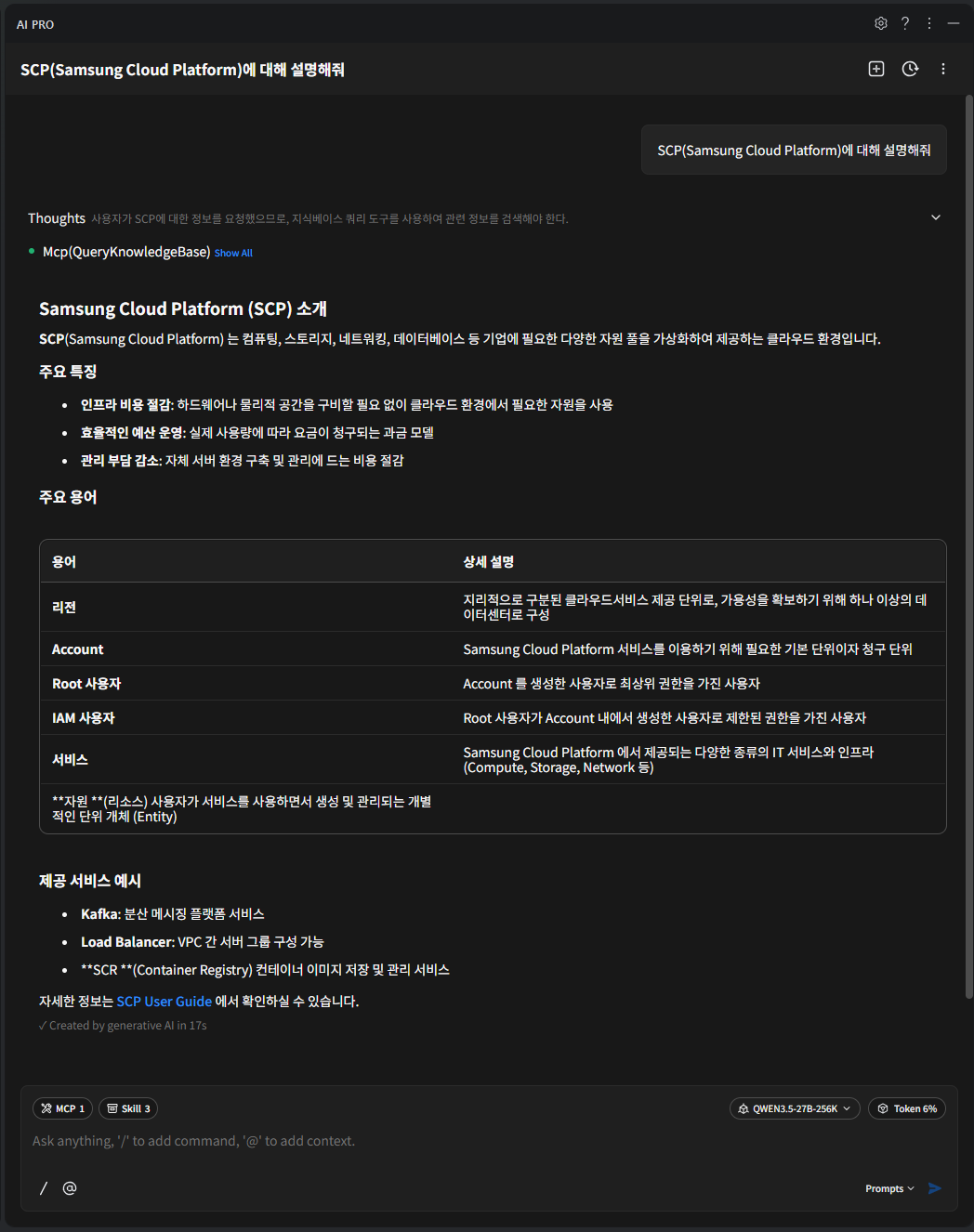
A tool based on MCP (Model Context Protocol) searches and invokes MCP server tools using the documentation managed in SCP.
Search the documents below and provide the data.
User Guide : https://docs.e.samsungsdscloud.com/userguide/
Architecture Center : https://docs.e.samsungsdscloud.com/arch_cent/
Knowledge Center : https://docs.e.samsungsdscloud.com/knowledge_cent/
FAQ(Service Portal) : https://cloud.samsungsds.com/serviceportal/support/faq.html
Documentation MCP Server Integration Guide
MCP Server settings: streamable http type
{
  "mcpServers": {
    "scp-knowledge-mcp-server": {
      "type": "http",
      "url": "https://scp-docs-mcp.kr-west1.e.samsungsdscloud.com/mcp"
    }
  }
}
Tools
Query Knowledge Base : Responds with an appropriate document from SCP’s documentation based on the user’s query.
[{
	"content" : "Samsung Cloud Platform은 컴퓨팅, 스토리지, 네트워킹, 데이터베이스 등 기업에 필요한 다양한 자원 풀을 가상화하여 제공하는 클라우드 환경입니다.",
	"metadata" : {
      "source" : "https://docs.e.samsungsdscloud.com/userguide/scp_common/overview/#samsung-cloud-platfo",
      "label" : "Samsung Cloud Platform"
	}
}]
Documentation Server configuration example
Color mode{ "mcpServers": { "scp-knowledge-mcp-server": { "type": "http", "url": "https://scp-docs-mcp.kr-west1.e.samsungsdscloud.com/mcp" } } }{ "mcpServers": { "scp-knowledge-mcp-server": { "type": "http", "url": "https://scp-docs-mcp.kr-west1.e.samsungsdscloud.com/mcp" } } }Code block. Task execution example Documentation Server configuration example result